 RAIMZEAL
Meet Ovia AI: The AI Coach Inside RAIMZEAL
Ovia AI is the AI coach built into RAIMZEAL — here is what it does with your logged data, what it cannot do, and how access changes by tier.
Most fitness apps give you a form to fill in. RAIMZEAL gives you something to talk to. Ovia AI is the AI coach built into the app, and it is the part members end up using every day — not because it is clever, but because it is there at the moments when a plan usually falls apart.
This article explains what Ovia AI is, what it does with the data you log, where its limits are, and how access changes as you move up the tiers. No hype. If something is outside what an AI coach should be doing, we say so.
What Ovia AI actually is
Ovia AI is a conversational AI coach that sits on top of everything RAIMZEAL already knows about your training, your food, and your recovery. You type — or speak — in ordinary language, and it answers in ordinary language.
It is not a chatbot bolted onto a workout list. The point of putting a coach inside the app rather than in a separate window is that it can see your history. When you ask whether to train today, it is not answering in the abstract. It is answering with your last two weeks in front of it.
RAIMZEAL is available on iOS and Android, and was built by DR. EPHRAIM OVIAWE at ECONTEUR LLC.
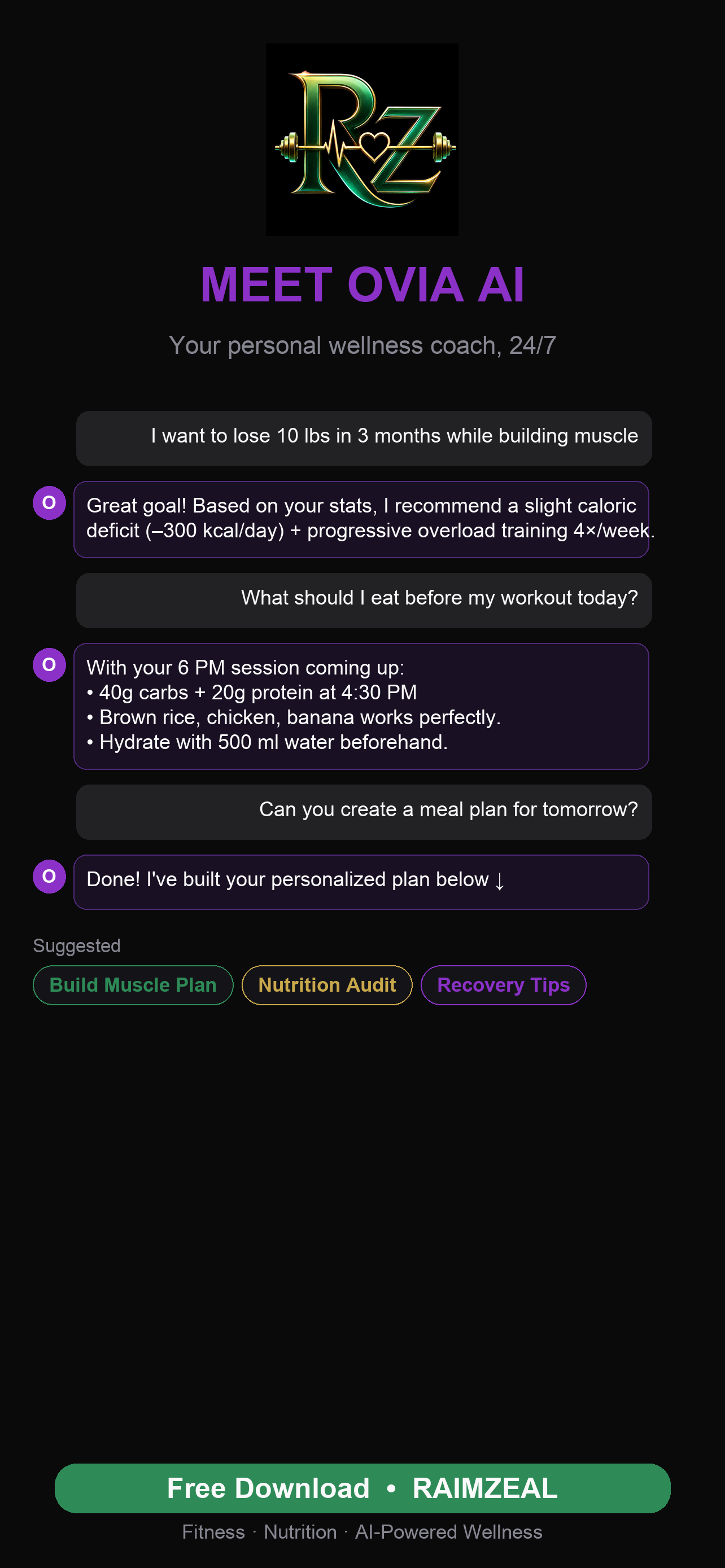
How it uses the data you log
An AI coach with no memory is a search engine with better manners. The useful part is context, and context comes from what you record.
- Training history. Sessions, exercises, sets, loads and how hard each felt. This is what lets progression be based on what you did rather than what a template assumed you did.
- Nutrition logs. Meals you have entered or scanned, so advice about eating fits what you already eat rather than an imagined diet.
- Recovery signals. Sleep, soreness and the notes you leave after a session. Saying a shoulder felt off is information, and it should change the next session.
- Your goals and constraints. Time available, equipment, injuries you have declared, foods you avoid, the schedule you actually keep.
- The conversation itself. What you have already told the coach, so you are not re-explaining your situation every week.
The practical effect is that the quality of the coaching tracks the quality of the logging. A member who records three sessions and two meals a week gets noticeably more specific answers than one who records nothing and asks general questions.
That is worth knowing before you judge it. If the first week feels generic, it is usually because there is nothing in the tank yet.
What you can actually ask it
The questions that get the most out of an AI coach are the small, time-sensitive ones — the sort that never justified a phone call to a trainer, so historically people just guessed.
- Should I train today? Given last night's sleep, yesterday's session and how you say you feel.
- Build me something for the time I have. Forty minutes, dumbbells only, hotel room — the constraint is the interesting part.
- Why is my plan structured like this? Understanding the reasoning is what makes a plan survive contact with a bad week.
- What should I eat before an early session? Anchored to the food you already log rather than a generic list.
- Is this soreness normal? It will give you general guidance and tell you plainly when the answer is to see a clinician.
- I missed a week — what now? Resuming sensibly after a break is where most self-directed plans quietly die.
It also works the other direction. Ovia AI will surface things you did not ask about: a lift that has stalled, a week where protein dropped, a pattern of skipped sessions on the same weekday.
The voice side
Typing is a poor interface mid-session with chalk on your hands. On the Reign plan and above, Ovia AI can be used as an AI voice coach — you speak, it answers aloud, and you keep moving.
Voice changes the kind of question people ask. Typed questions tend to be planning questions asked at a desk. Spoken questions tend to be in-the-moment ones: was that set enough, what is next, can I swap this exercise. Those are the questions that actually change a session while it is happening.
It also lowers the cost of asking at all. A lot of people never type a question they would happily say out loud.
How it connects to the rest of the app
Ovia AI is not a separate product. It reads from and writes into the same features you use elsewhere in RAIMZEAL.
- It works with the workout generator — see what an AI workout generator does for how sessions get built and adapted.
- It reads what the meal scanner records, described in how AI meal scanning works.
- It sits alongside the food therapy approach explained in what food therapy is.
That connection is the whole argument for an in-app coach. Advice that cannot see your log is just content.
What Ovia AI will not do
Being clear about the ceiling matters more than listing features.
- It cannot watch your form. It can explain technique, describe common errors and help you self-check, but it does not see you lift. If your technique is the limiting factor, spend time with a coach in person.
- It is not a clinician. Ovia AI does not diagnose, does not treat, and does not give medical advice. Pain, injury, pregnancy, chronic conditions and medication questions belong with a qualified professional who can examine you.
- It is not a dietitian. It helps you eat more deliberately. It does not prescribe clinical nutrition therapy.
- It can be wrong. It is software working from what you gave it. If an answer contradicts your body or your doctor, your body and your doctor win.
- It is not a substitute for a relationship. If the only thing that gets you to the gym is a person expecting you, hire that person. We wrote about this trade-off honestly in AI fitness coach vs personal trainer.
How access scales by tier
Ovia AI is available on every tier, including the free one. What changes is how much of it you get.
- Foundation — free forever. Includes a limited AI wellness coach, which is enough to see whether talking to a coach is something you will genuinely use.
- Rise — more AI coach messages, for people who have found they reach for it daily.
- Reign — the full AI wellness coach plus priority AI recommendations.
- Legacy — everything in Reign, plus advanced reports and premium challenges.
We deliberately did not put the coach behind a paywall entirely. An AI coach is not something you can evaluate from a feature list — you find out in the first fortnight whether it fits how you think. Start on Foundation and decide from experience. Current inclusions for each tier are on the membership page.
Getting a useful first week
- Tell it your goal, your schedule and your equipment in one message. Specific constraints produce specific plans.
- Declare anything it should work around — an old knee, a shift pattern, foods you do not eat.
- Log your sessions as you do them, even roughly. Rough data beats no data by a wide margin.
- Leave a one-line note after hard sessions. That note is often the most useful thing in the log.
- Ask it why, not just what. The reasoning is what you keep when the app is closed.
Do that for two weeks and the difference in the answers is obvious. Skip it and you will conclude, fairly, that the coach is vague.
You can download RAIMZEAL on iOS or Android and start on Foundation for free. If you have questions we have not covered here, the FAQ is the next place to look.
Frequently asked questions
What is Ovia AI?
Ovia AI is the AI coach built into the RAIMZEAL app. It plans and adapts your training, works alongside your nutrition and recovery data, explains the reasoning behind your plan, and answers questions in plain language by chat, or by realtime voice on Reign and above.
Is Ovia AI free?
There is a free tier. Foundation is free forever and includes a limited AI wellness coach. Rise adds more AI coach messages, Reign includes the full AI wellness coach with priority AI recommendations, and Legacy adds advanced reports and premium challenges on top of Reign. Current inclusions are listed on the membership page.
What data does Ovia AI use to answer me?
It draws on what you record in the app — training sessions, meals you log or scan, recovery notes, your stated goals and constraints, and the conversation you have already had with it. The more you log, the more specific its answers become.
Can Ovia AI check my exercise form?
No. It can explain correct technique and flag common mistakes, but it cannot watch you move or correct you mid-set. If form is your limiting factor, work with a qualified coach in person, even briefly.
Can I talk to Ovia AI instead of typing?
Yes, on the Reign plan and above. Realtime voice is more practical mid-session than typing. Spoken questions tend to be the in-the-moment ones that actually change a workout while it is happening.
Can Ovia AI give me medical advice?
No. It does not diagnose or treat anything and it is not a substitute for a clinician. If you are in pain, injured, pregnant, managing a health condition, or taking medication that interacts with exercise or diet, speak to a qualified healthcare professional.
Which devices is it available on?
RAIMZEAL is available on iOS and Android, and Ovia AI is included in the app on both.